
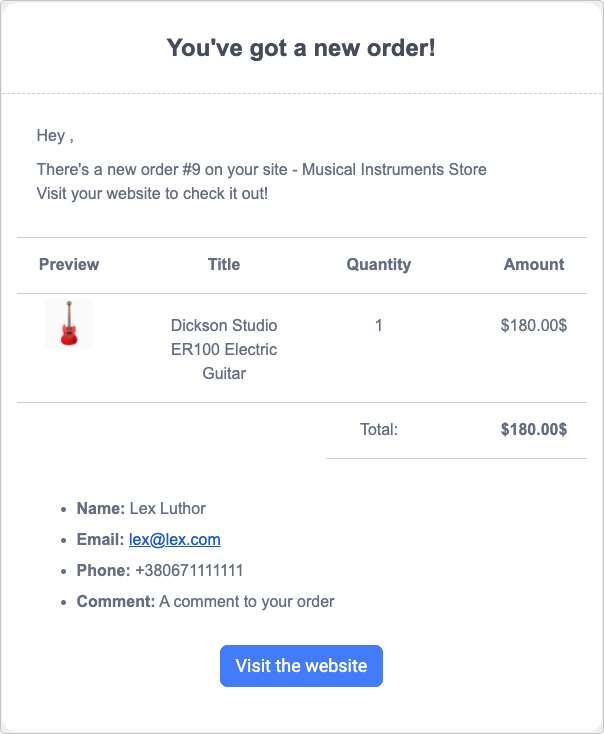
By default, as a site owner, you get an email notification each time a visitor submits an order in your store:
On top of that, you can add up to 5 other emails that should receive order notifications.
Adding additional email addresses
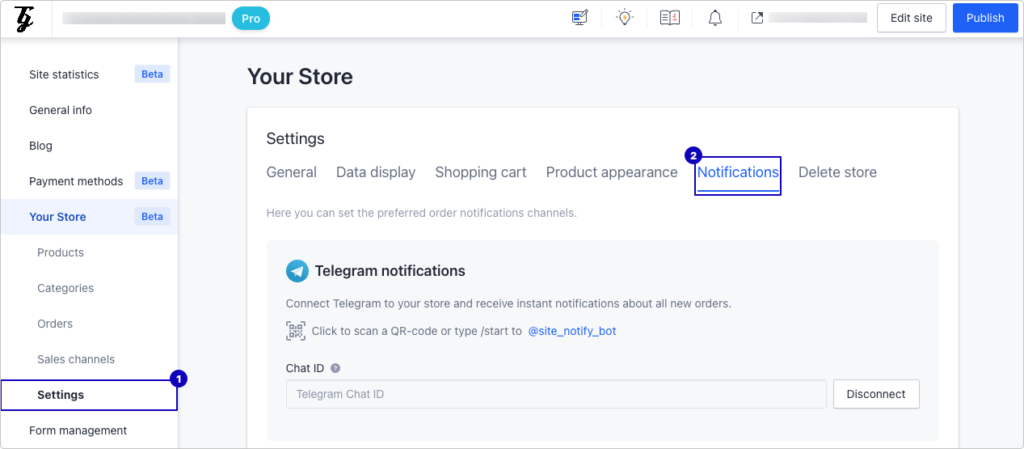
1. Open the settings of your site and navigate to the Your Store menu section and click the Settings subsection (1).
2. There, Open the Notifications tab (2):
3. Scroll down a bit and, in every provided field, you can enter one email address that you need to receive Your Store’s notifications about your new orders to. Press the Connect button to engage the entered email address:

Note: If you leave all fields blank, only the site owner’s email address will receive the notifications.
Publish your site for the changes to appear live.