
To replace a text existing in a template with your own, select it in the placeholder and enter your own content. Besides, you can add an additional text element in a block following the instructions in the article Adding elements. You can apply the regular settings to your texts available all elements — copying it, moving it anywhere within its block, and deleting your text.
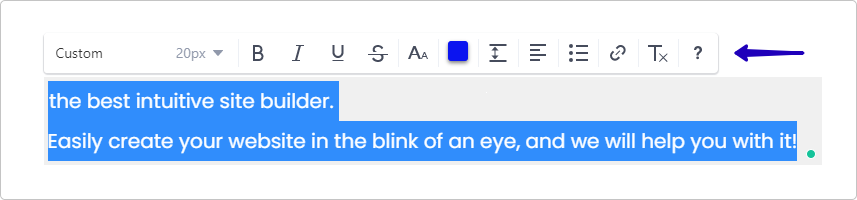
To customize the display of your text — change its style, size, color, line height, alignment, and so on — select the text and choose an action in the pop-up menu:
The text font is automatically adjusted on your site, but if you want to change it, please refer to the article Changing site’s font to know how to do it.
If you haven’t found the font you were looking for in our gallery, you can upload your own following the instructions in the article Uploading your own font.