
Manual payment method lets you accept payments for the orders in your store outside MakeGreatSite. This could be a wire transfer, cash, payment on delivery, etc. In this scenario, MakeGreatSite is not a part of your interaction with the client, so you’ll need to take care of the payment process and provide detailed instructions.
Important: Payment methods are available on Pro and Trial websites.
Setting up manual payment in your online store
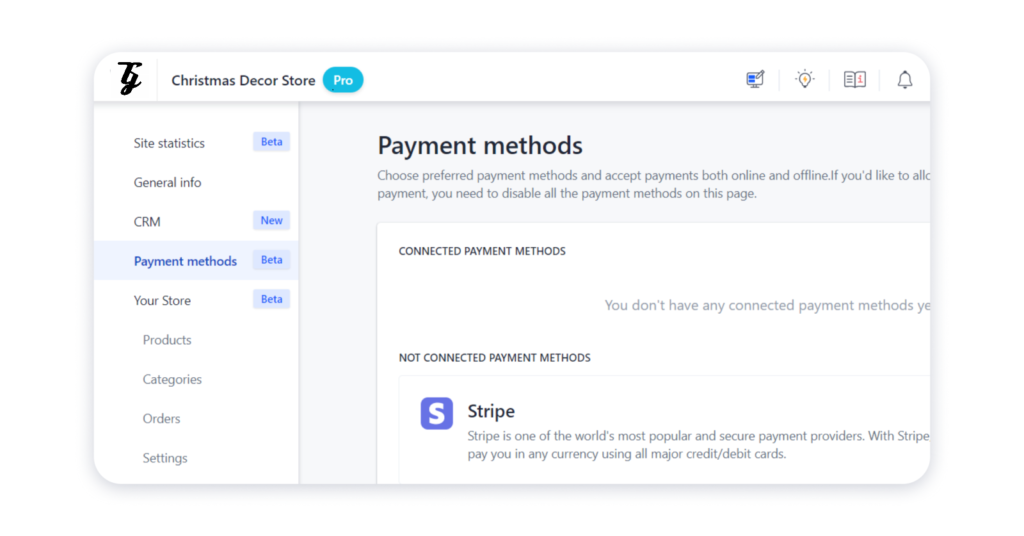
1. Open the Settings of the site and navigate to the Payment methods tab:
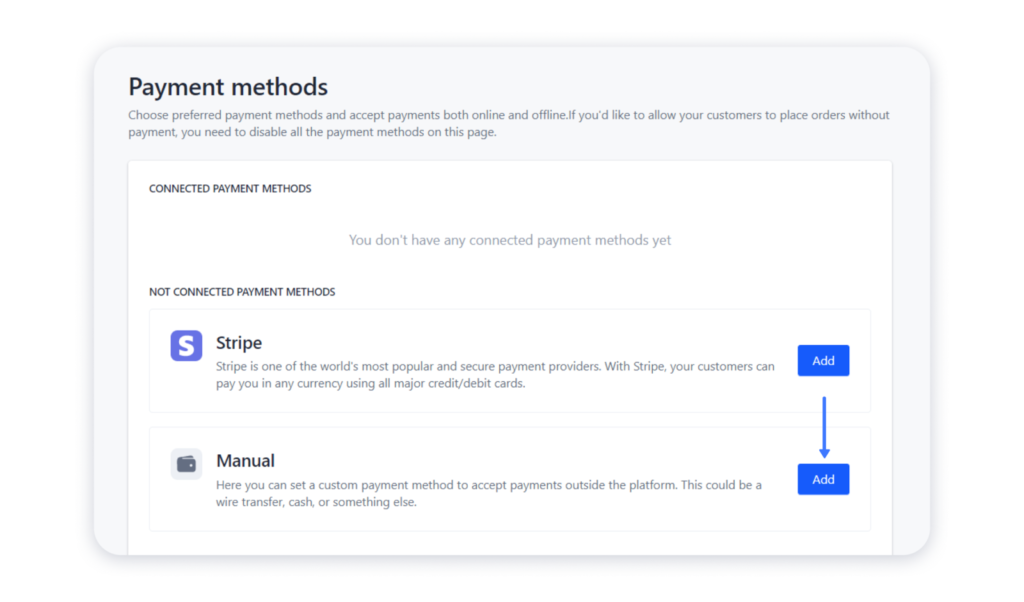
2. Hover over the Manual option and click Add:
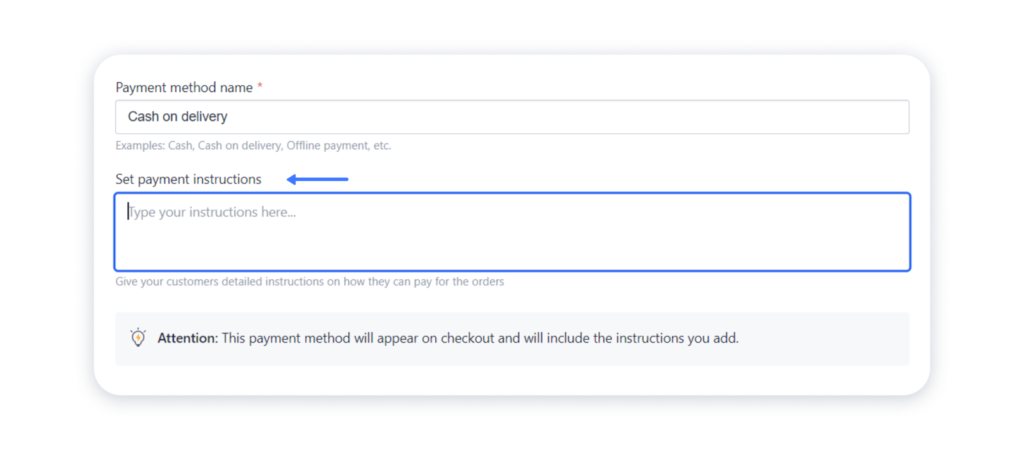
3. Add the payment method name — it will appear in the order form during checkout:

4. Add your instructions in the relevant field — make sure that they are clear and descriptive:
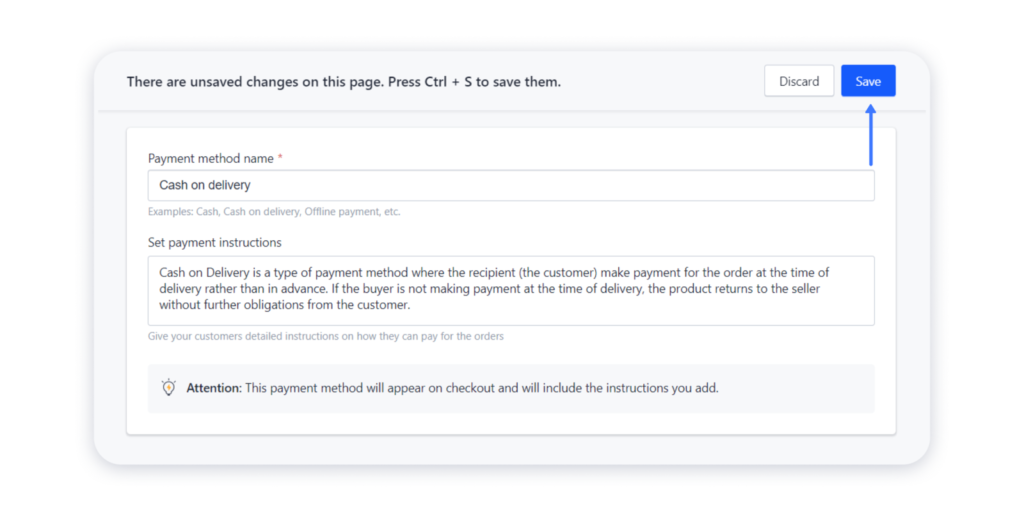
6. Save the changes:
7. Now, return to the Payment methods page and switch the toggle on to finalize the connection process:
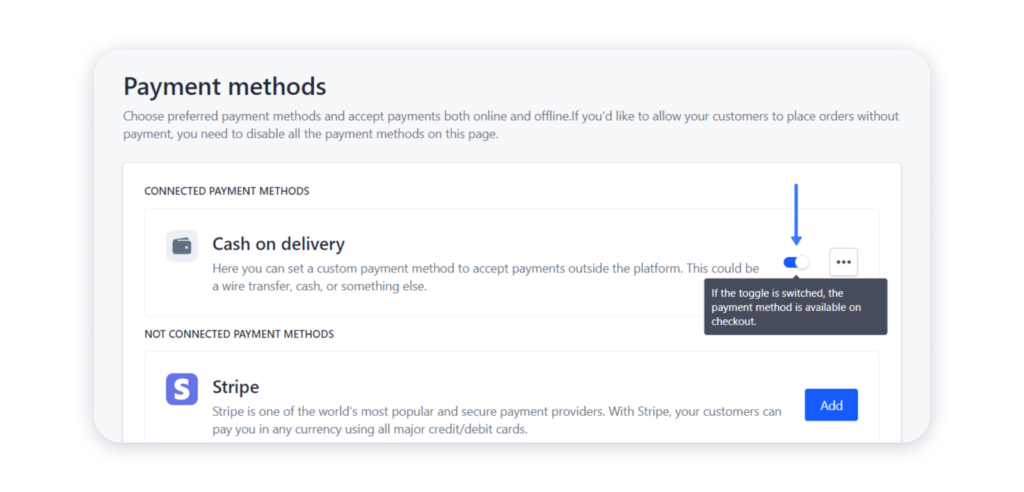
7. Finally, publish your website for the changes to take effect.
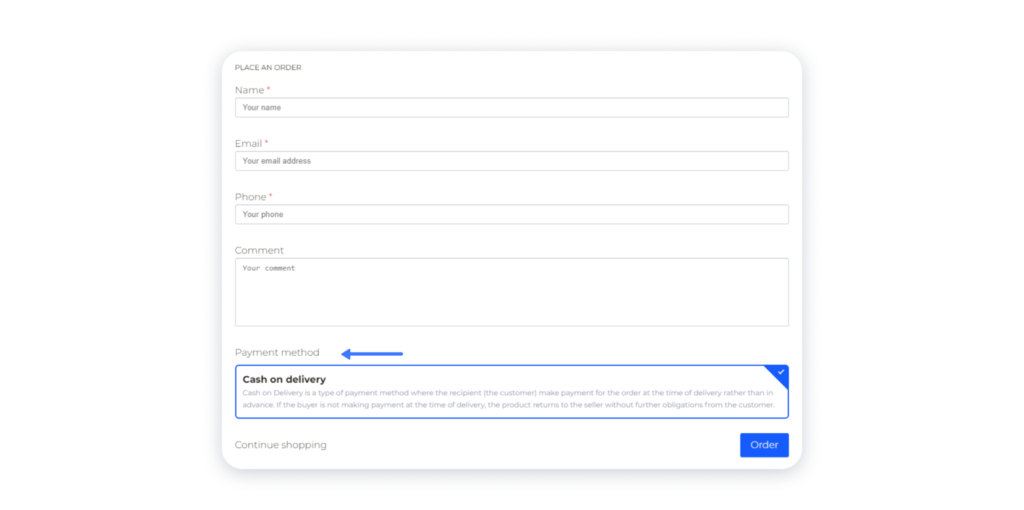
This is how the payment option you added will be displayed during the checkout:
If you’d like to temporarily disable this payment method, toggle the switch off:
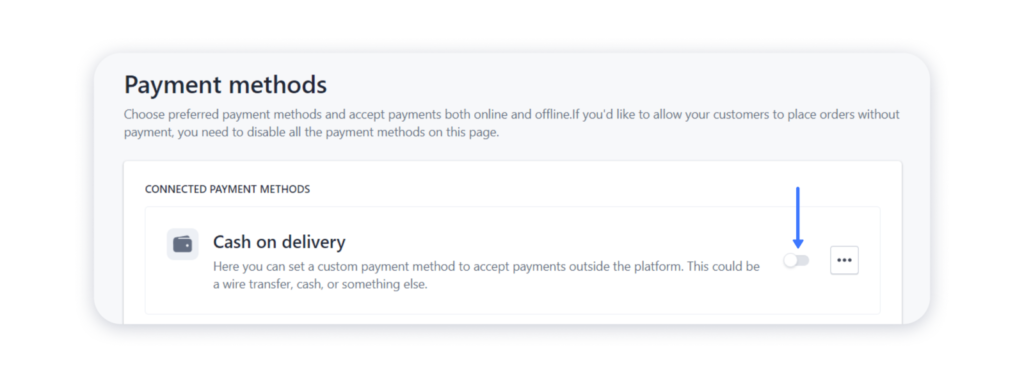
If you decided to change the details or delete this payment method completely, click on the three dots here and select the action:
