
Whether it’s a cover slider block or a slider mode in the collections of items, you can enable the autoscroll effect for the slides.
Setting slides to autoscroll
1. To open the settings of the cover slider, hover over the block and click on the “gear” at the top right corner:

… or hover over the collection item and click on the “gear” in the top right corner:

2. In the pop-up window toggle on the Autoplay feature:

3. Set the delay between the slides and choose whether you’d like the slider to pause on hover:

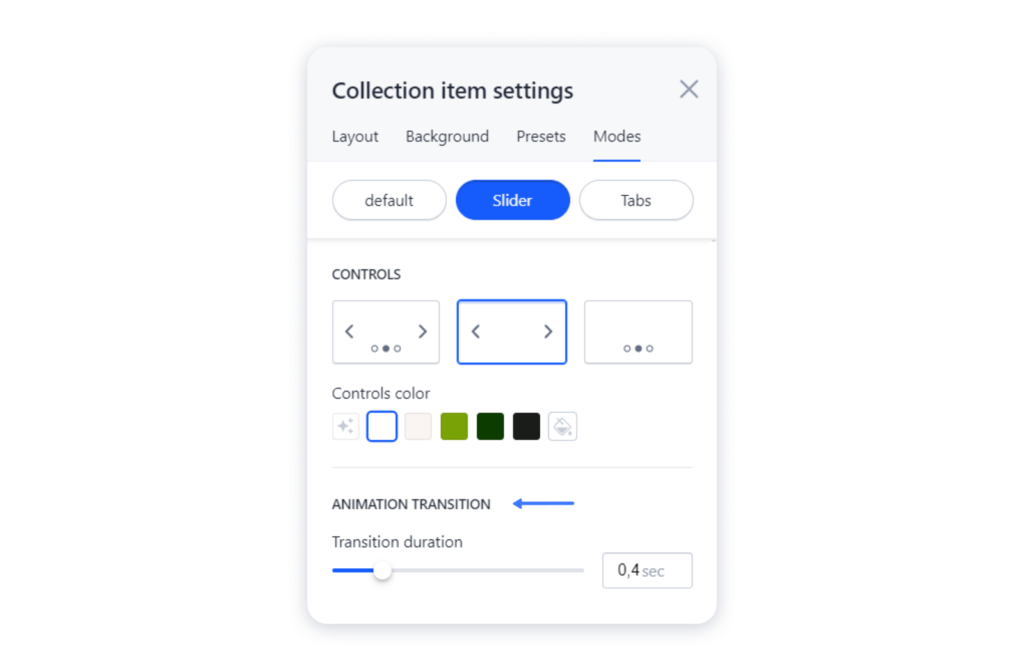
4. Don’t forget to adjust the duration of the slides transition:
Publish the site for the changes to take effect.