
1. For that, hover over the blog posts in the editor and click on the “gear” to open the settings:

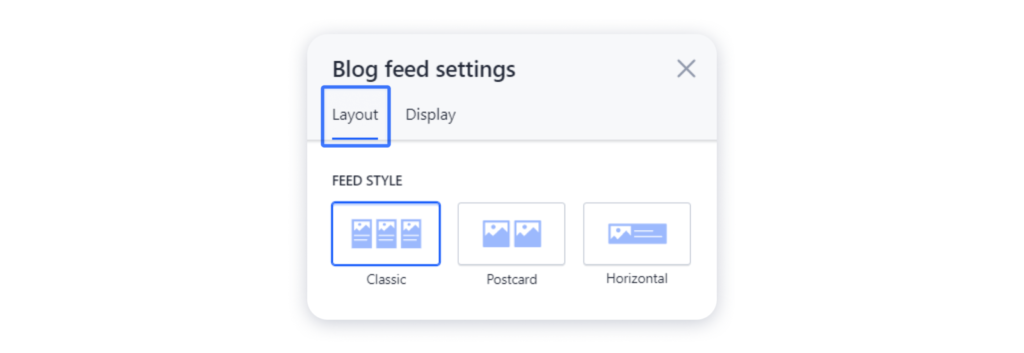
2. In the Layout tab you can change the way your blog feed is displayed on the page:
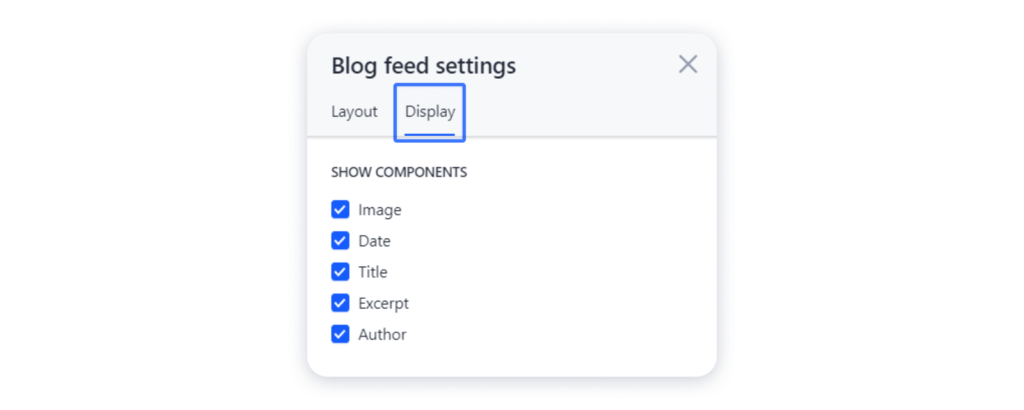
3. Navigate to the Display tab to select the components to be shown on the post previews:
4. The blog feed is the same block as other in our gallery. Therefore, you can change its background or add an additional element to enrich its look.